Step-by-step guide
How to use CVEmber in ChatGPT and Claude
Add CVEmber once, then score or tailor your resume in any chat. It takes about two minutes.
 In ChatGPT
Open ChatGPT ↗Find CVEmber in ChatGPT’s apps
In ChatGPT, open Apps from the sidebar, search for CVEmber and press +.

Sign in to CVEmber
After you press +, ChatGPT opens CVEmber’s sign-in. Sign in and tap Allow to connect your account.
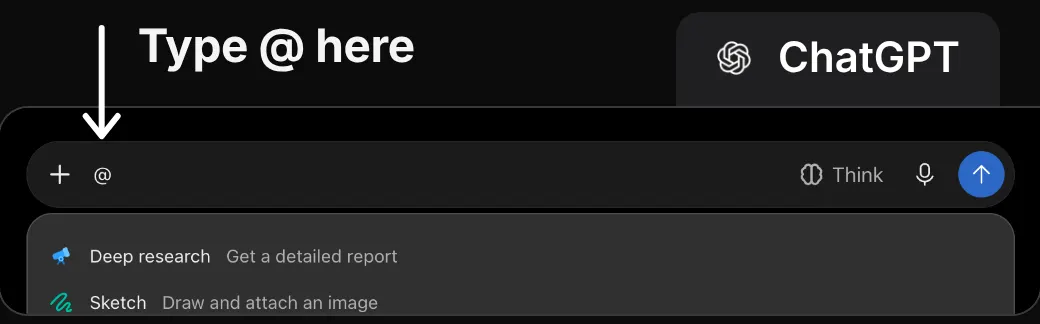
Type @ in the message box
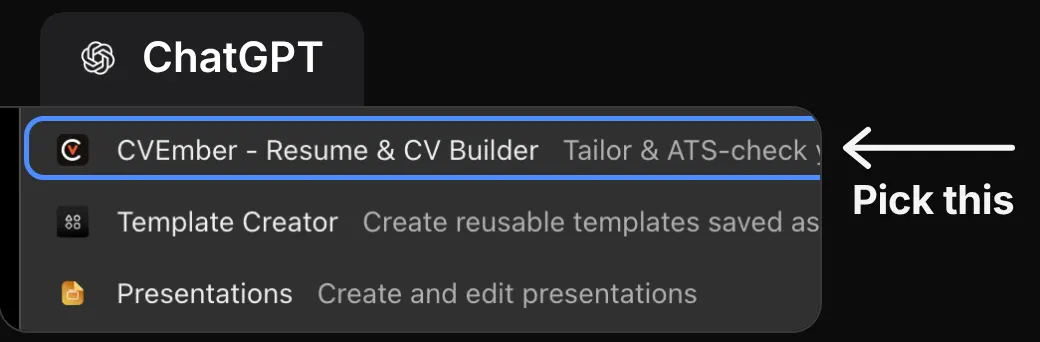
Pick CVEmber from the list
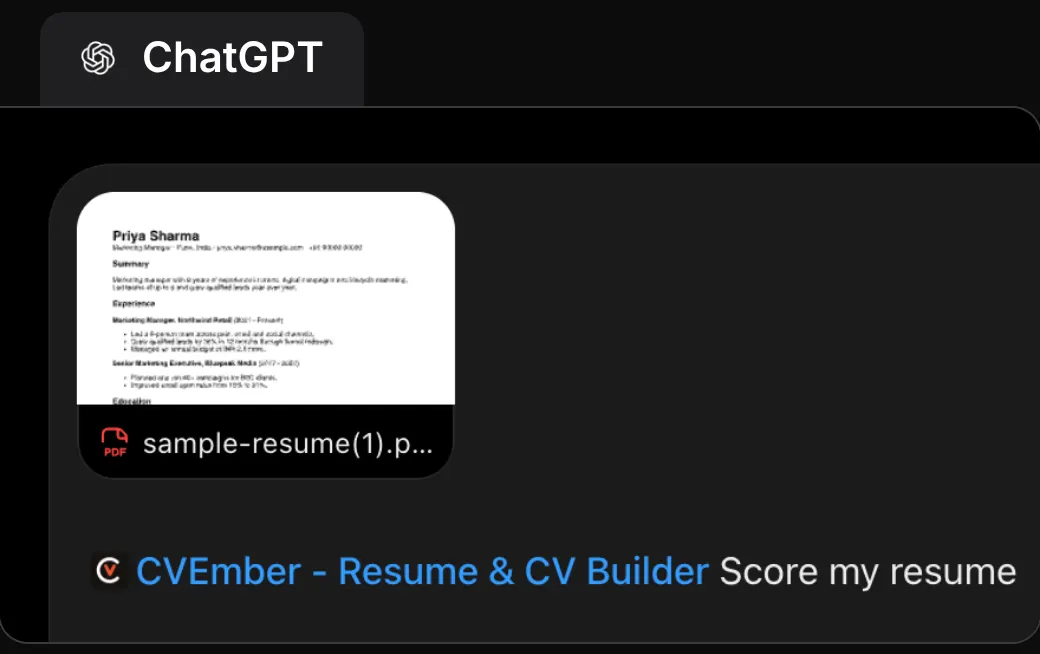
Attach your resume and send “Score my resume”
Press + to attach your resume as a PDF or Word file, then send.
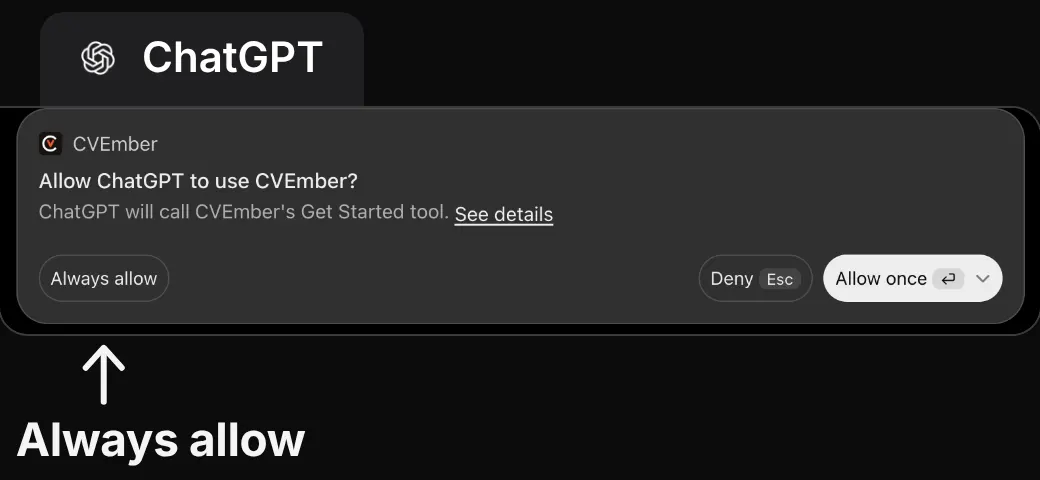
Tap “Always allow”
If ChatGPT asks for permission, tap Always allow so it doesn’t stop to ask at every step.
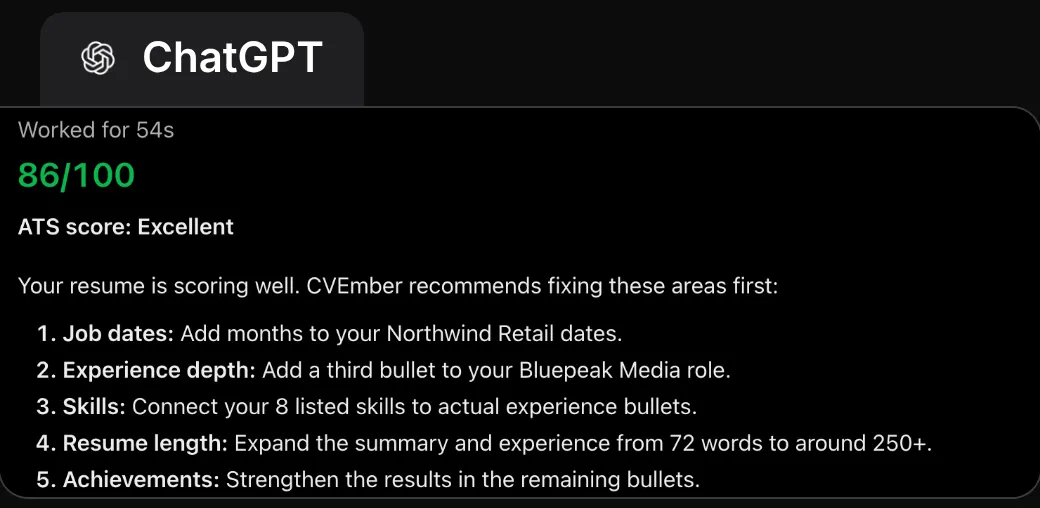
Your ATS score arrives in about a minute
With the first things to fix. Your resume is saved in your CVEmber account, ready to edit on cvember.com.
 You’re set. Next time, just type @, pick CVEmber and ask.
 In Claude
Open Claude ↗Connect CVEmber in Claude’s settings
In Claude, open Settings → Connectors, press Browse connectors, search for CVEmber and press Connect. Sign in to CVEmber when Claude asks and tap Allow.
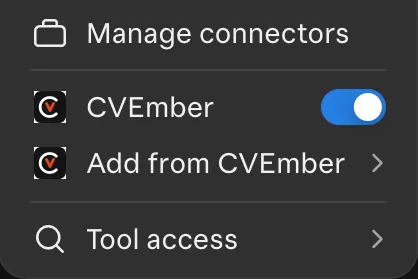
Check CVEmber is switched on
In a chat, tap + and open Connectors. CVEmber should be on.
Attach your resume and send “CVEmber, score my resume”
Start each message with the word CVEmber, so Claude knows to use it.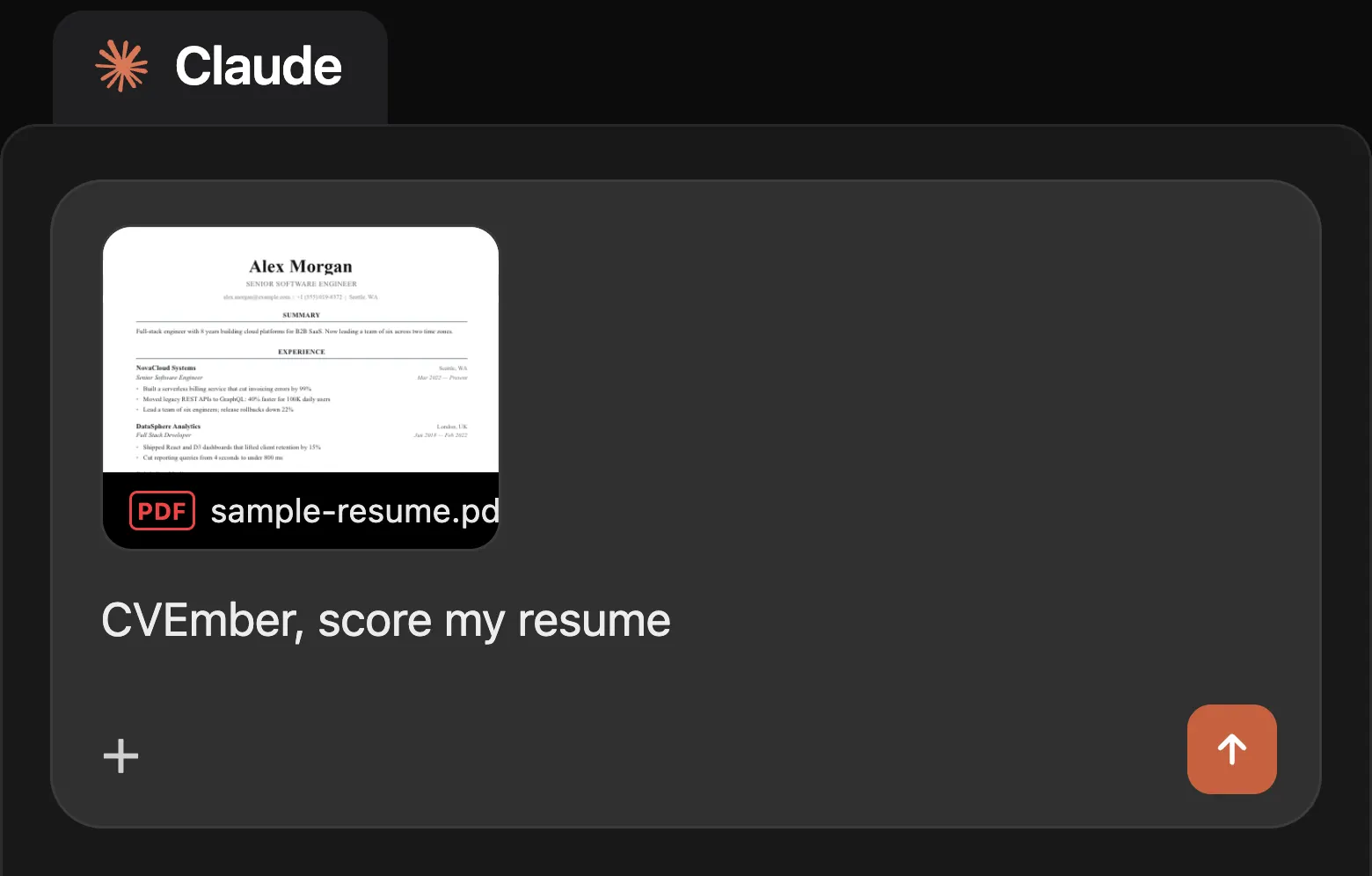
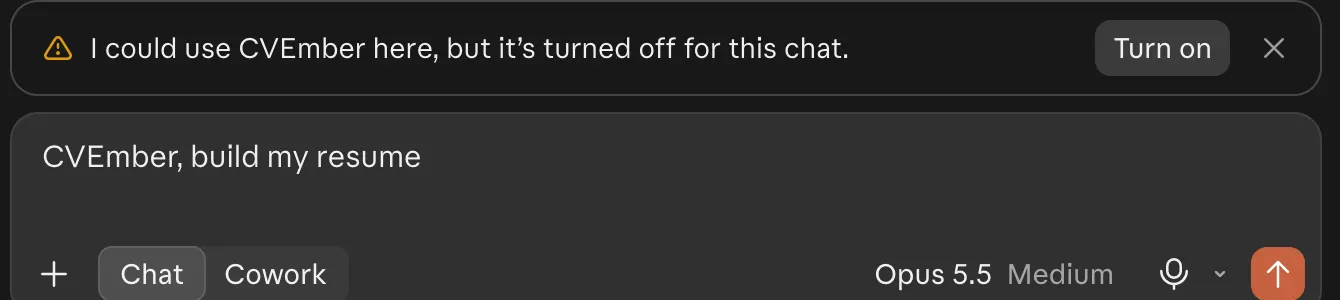
See this bar? Tap “Turn on”
It means CVEmber is switched off for that chat. If Claude asks for permission, tap Allow. Your ATS score arrives in about a minute.
 You’re set. Your resume is saved in your CVEmber account, ready to edit on cvember.com.
Things to try once it’s connected
Attach your resume and send one of these. In Claude, start with “CVEmber,”. All of them are free.
Common questions
Is my resume saved anywhere?
Yes, in your CVEmber account. Sign in on cvember.com with the same account to edit it in the full editor and pick any resume design.
Will ChatGPT or Claude overwrite my original resume?
No. When you tailor for a job, CVEmber saves a separate version next to your original. Every change can also be undone from your chat or on cvember.com.
CVEmber isn’t showing up in my chat. What now?
In ChatGPT, type @ and pick CVEmber again. In Claude, tap + → Connectors and make sure CVEmber is switched on, and start your message with “CVEmber,”. If it still doesn’t show, write to us below.
How do I disconnect CVEmber?
In ChatGPT, open Settings → Apps and remove CVEmber. In Claude, open Settings → Connectors and disconnect CVEmber. Your resumes stay in your CVEmber account.
Stuck on a step?
Write to us and a real person replies.