Resume Templates · Executive
Executive Resume Templates
Poised typography and generous margins built to hold a 10-to-20-year leadership track record cleanly. Browse 8 executive resume templates for PDF and Word export.
Executive · 8 curated leadership designs, full page view
Hover any design to start or preview full size
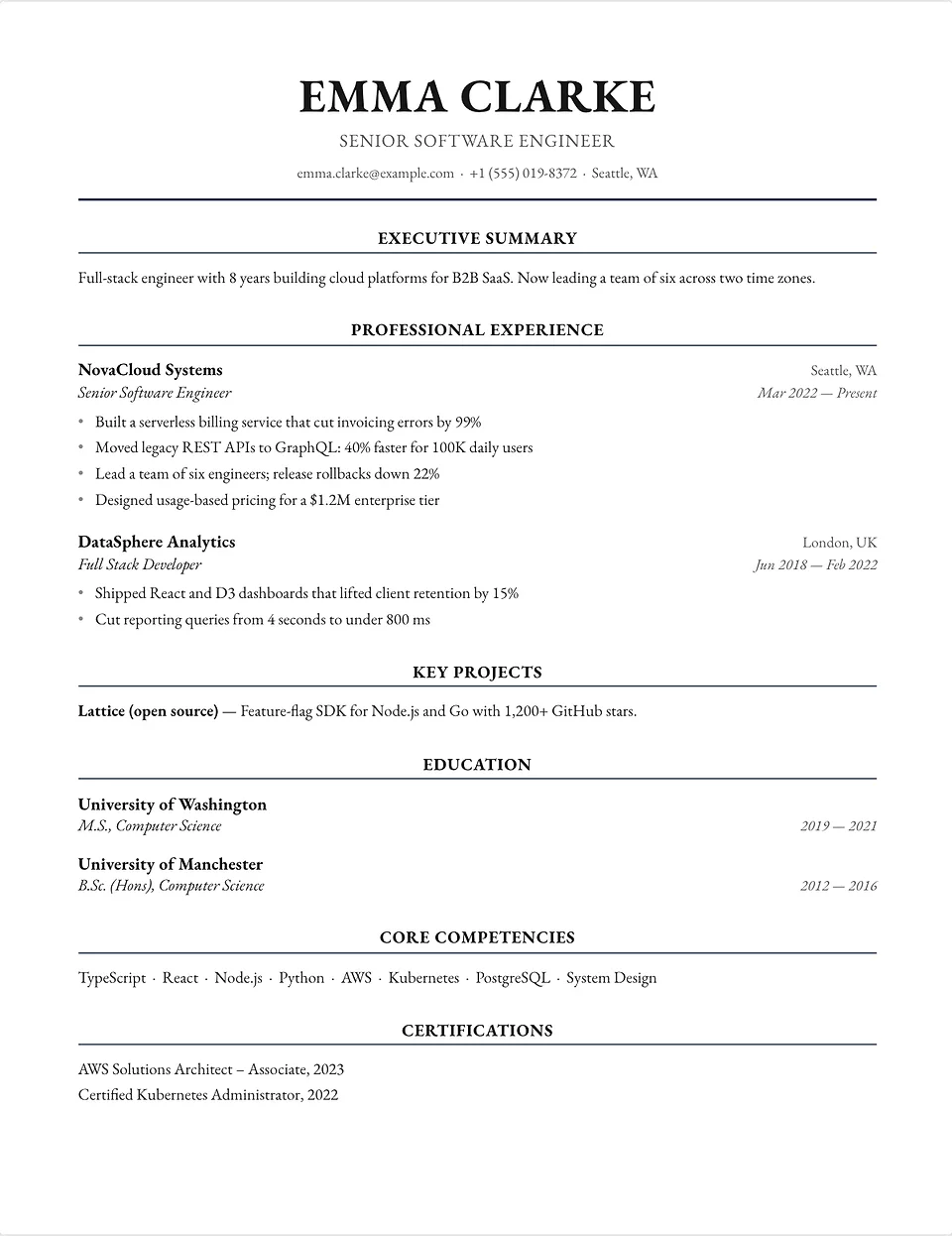
Regent
No photoCapital serif name and centred headings for senior roles.
Heritage
No photoThe Harvard-style classic: centred serif, ruled headings.
Brevity
No photoTighter type and margins, for a long career on one page.
Prescott
No photoTighter serif proportions and margins to fit a full career on one page.
Winslow
No photoCentred serif name over a subtle double rule, with bold title-case underlined headings.
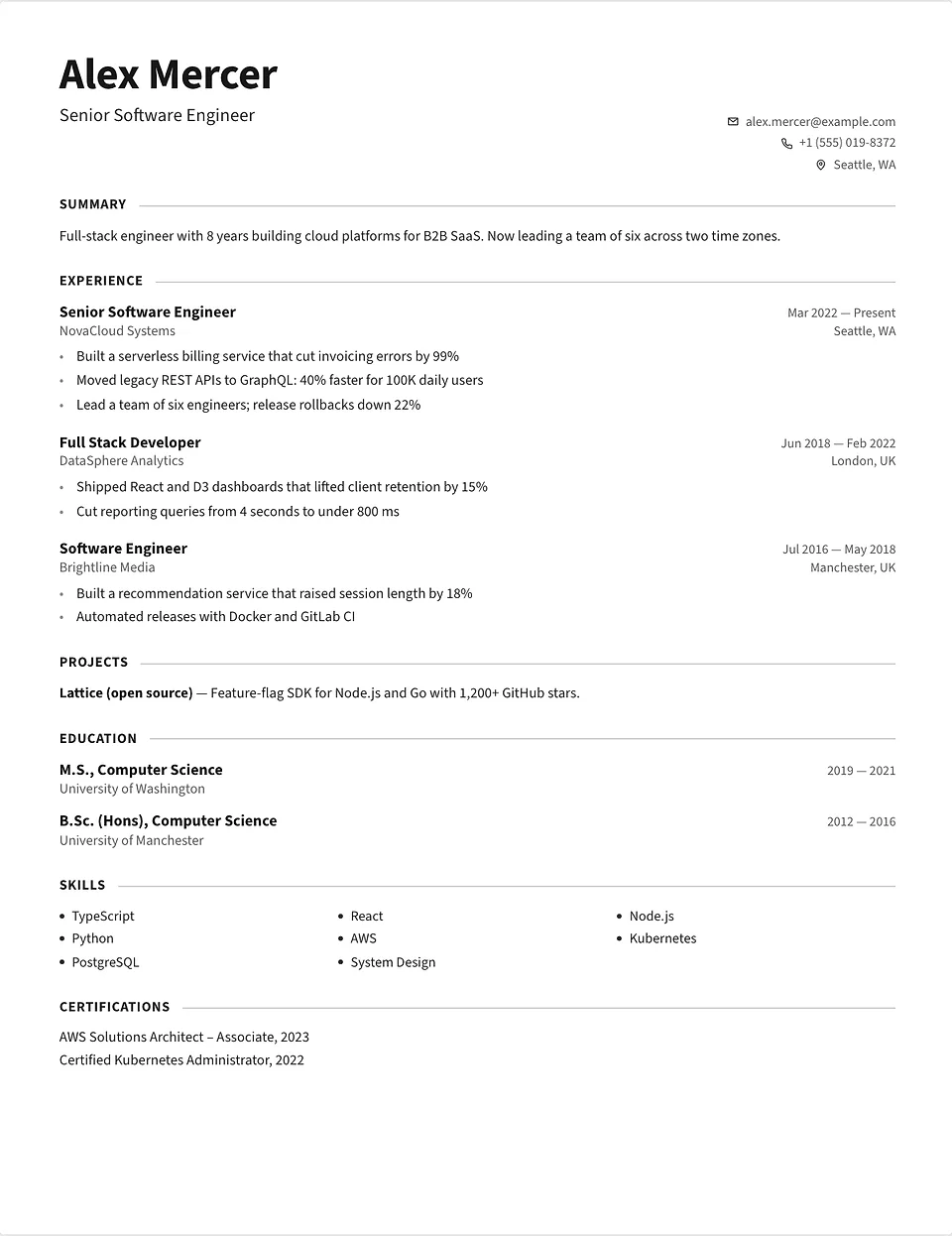
Keystone
No photoA dark header and your key skills in a grid under the summary.
Atlas
Optional photoYour career on the left, a deep colour column on the right.
Onyx
Optional photoA charcoal sidebar with your photo; surname in colour.



Executive templates: key facts
| Detail | Specification |
|---|---|
| Executive designs included | 8 leadership-grade layouts (6 single-column serif/sans-serif + 2 restrained two-column layouts, Atlas and Onyx), curated from our 36 live templates. |
| Multi-page behavior | All 6 single-column layouts (Regent, Heritage, Brevity, Prescott, Winslow, Keystone) paginate seamlessly across 2 pages for 10–20+ year careers. |
| Photo support | 6 text-only designs plus 2 optional-photo layouts (Atlas, Onyx — hide the photo with one toggle for US/UK board and executive search firms). |
| Export formats | Selectable-text PDF and Microsoft Word (.docx) generated in your browser, plus plain-text copy. No native Google Docs export (upload .docx to Google Drive to edit in Docs). |
| ATS parser testing | 30 of 36 live templates tested in PDF only against commercial resume parsers (see methodology) — including 6 of these 8 executive designs. Prescott, Winslow, and .docx exports are scheduled for upcoming parser testing. |
| Pricing | Free to build, preview, score, and tailor to any board or executive brief. Pay once only to download: Starter $14.99 (1 month), Pro $29.99 (3 months), Pro Annual $49.99 (1 year), or $1.99 for one resume. Never renews. |
How executive resumes differ from standard resumes
At the director, VP, and C-suite level, search partners and board chairs stop scanning for task lists and start scanning for P&L scope, organizational scale, transformation outcomes, and governance track record.
Design principles that work at senior levels:
- Understated authority over graphic decoration: Serif headings (Regent, Heritage, Winslow) or quiet dark-accent grids (Keystone) communicate seniority far better than colorful icons or progress bars.
- Executive profile + core mandate above the fold: Open page 1 with a 3-line executive profile naming your revenue/budget scale, headcount led, and signature turnaround or growth metrics.
- Two crisp pages beat one cramped page: Most 12–20 year careers read best across two balanced single-column pages. Reserve 1-page briefs (Brevity, Prescott, or Atlas) for board bios, investor decks, or networking handoffs.
Structuring a two-page executive resume
| Section | Placement | Executive Content Focus |
|---|---|---|
| Executive Header & Mandate | Top of page 1 | Name, target title (e.g., VP Operations / Chief Financial Officer), direct contact, and a 3-line P&L and scope summary. |
| Selected Leadership Highlights | Upper third of page 1 | 3–4 board-level achievements (revenue growth, EBITDA expansion, M&A integration, global market launches) with exact scale. |
| Executive Experience (Last 12–15 Years) | Main body of pages 1–2 | 1-line scope statement per company (revenue, team size, reporting line) followed by 3–5 outcome bullets. |
| Earlier Career Summary | Bottom of page 2 | Condensed 1-line entries (title, company, years) for roles 15+ years ago to prevent date bloat. |
| Education, Board Seats & Advisory | End of page 2 | MBA/degrees, executive education, board directorships, and notable industry speaking or patents. |
Frequently asked questions about executive resume templates
Should an executive resume be one column or two columns?
Use a single-column layout (Regent, Heritage, Winslow, or Keystone) for any two-page executive resume submitted to search firms or corporate portals — single-column prose flows cleanly onto page 2 with zero sidebar gaps. Consider Atlas or Onyx only when building a tight one-page executive summary or consulting bio.
How far back should an executive work history go?
Focus detailed bullet points on your most recent 12 to 15 years of leadership scope. Summarize earlier foundational roles in a brief "Earlier Career" block with company, title, and key milestone rather than listing twenty-year-old entry-level duties.
Do executive search firms prefer PDF or Microsoft Word?
Send a PDF when emailing hiring committees, founders, or board members directly so typography stays locked. Keep the matching Microsoft Word (.docx) export ready because retained executive search firms often standardize candidate dossiers in Word before presenting a shortlist to the board. CVEmber exports both formats from the same resume.
Should an executive resume include a photo?
Omit your headshot in the US, UK, Canada, and Australia — all six single-column executive templates here are text-only by default. If you are pursuing executive roles in parts of continental Europe, the Middle East, or APAC where a formal portrait is expected, Atlas and Onyx include an optional photo slot you can toggle on or off anytime.
Present your leadership track record clearly
Open Regent free, import your current executive CV, and refine your P&L metrics and leadership scope across all 8 executive designs before paying anything.
Free to build, preview, and tailor · Pay once only when you download PDF or Word
Explore next: All 36 Resume Templates · Professional Templates · Harvard Resume Templates · Simple Templates · Project Manager Resume Examples · Free ATS Resume Checker