Resume Templates · Two Column
Two-Column Resume Templates
Keep skills and credentials in a crisp side rail beside your career history so more fits on page one. Browse 10 two-column resume templates below.
Two Column · 10 designs, full page view
Hover any design to start or preview full size
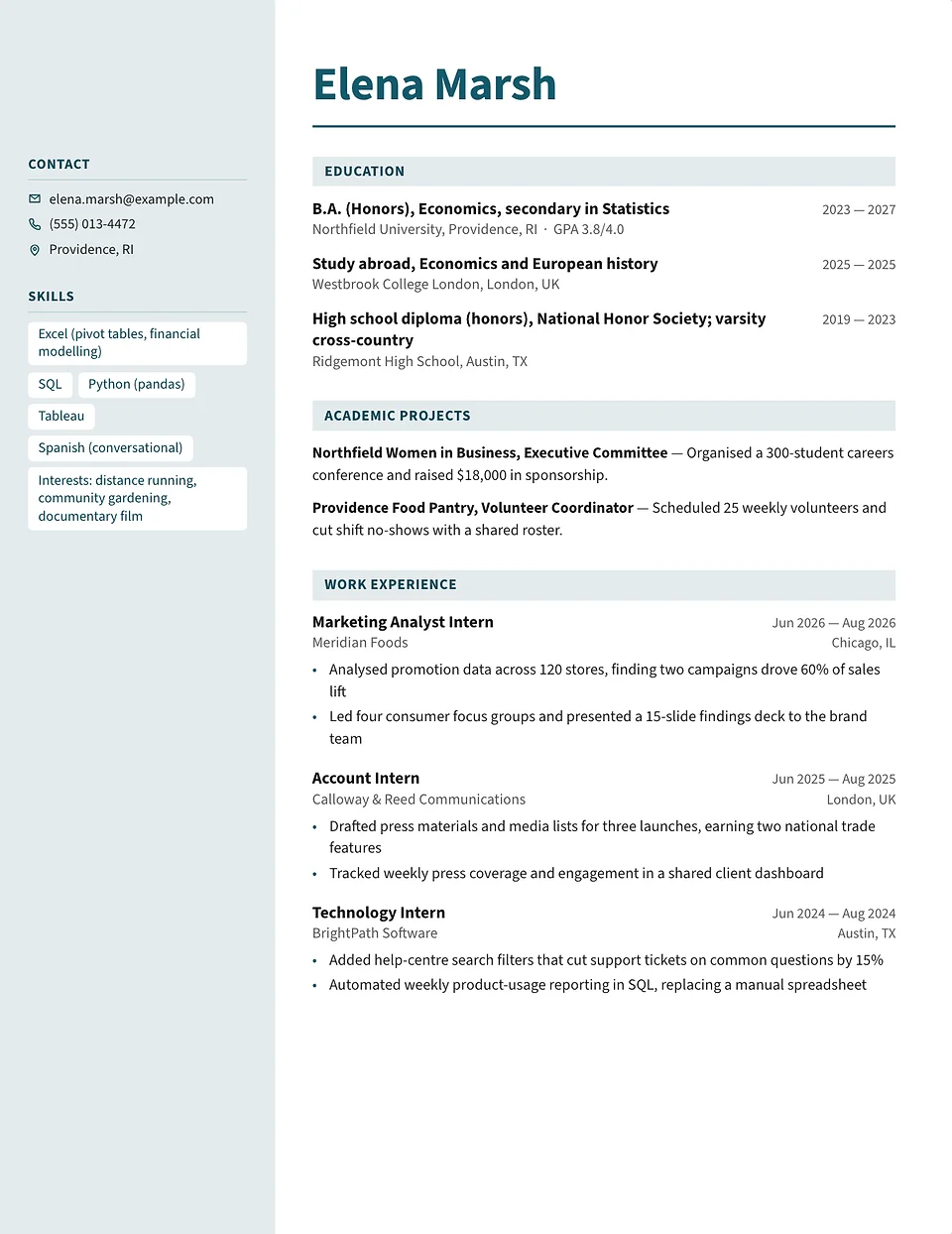
Harbor
No photoA deep colour rail with your contact and skills, a serif name and clean accent headings.
Atlas
Optional photoYour career on the left, a deep colour column on the right.
Orbit
Optional photoA full-height colour sidebar with your photo.
Slate
Optional photoYour photo beside your name, facts in a grey column.
Onyx
Optional photoA charcoal sidebar with your photo; surname in colour.
Linen
Optional photoA light capital name over two quiet columns.
Meridian
Optional photoA dark name band and a solid colour column.
Wisteria
Optional photoA soft colour column with your photo; dots down your career.
Juniper
Optional photoA colour band with your photo, over a soft side column.
Vanguard
No photoA thin colour bar and a grey column of key facts.


For Students & Recent Graduates
Ignite — education-first, two columns
If your degree, coursework, and projects carry more weight than prior jobs, Ignite puts education at the top of the wide main column while keeping your tools and certifications neat in the sidebar.
Two-column templates: key facts
| Detail | Specification |
|---|---|
| Two-column designs included | 10 designs in Two Column plus 1 education-first Fresher layout (Ignite), out of 36 live templates total. |
| Photo support | 2 text-only designs (Harbor, Vanguard) and 8 optional-photo designs (hide the photo anytime with one toggle if applying in the US, UK, or Canada). |
| Export formats | Selectable-text PDF and Microsoft Word (.docx) generated in your browser, plus plain-text copy. No native Google Docs export (upload the .docx to Google Drive to edit in Docs). |
| ATS parser testing | 30 of 36 live templates tested in PDF only against commercial resume parsers (see methodology) — including 9 of the 10 two-column designs plus Ignite. Harbor and .docx exports are scheduled for upcoming parser testing. |
| Color & typography | Recolor any layout with preset palettes or a custom hex color, and switch across 6 embedded typefaces. |
| Pricing | Free to build, preview, score, and tailor to any job ad. Pay once only to download: Starter $14.99 (1 month), Pro $29.99 (3 months), Pro Annual $49.99 (1 year), or $1.99 for one resume. Never renews. |
When to use a two-column resume — and when to pick one column
A two-column layout solves a specific spacing problem: fitting dense skills, certifications, and 4–8 years of experience onto one clean page without shrinking body text below 10 pt.
Pick a two-column template when:
- You have a long list of technical skills, languages, or certifications that look sparse when stacked at the bottom of a single column.
- You are sending your resume directly to a hiring manager, recruiter email, or modern hiring portal where rapid visual scanning matters.
- You want a 1-page layout that separates quick-scan credentials in the sidebar from impact-driven work bullets in the main column.
**Pick a one-column ATS-friendly template instead when:**
- You are applying through strict legacy corporate portals, government applications (USAJOBS), or large enterprise banks and consulting firms where plain single-column reading order removes parsing risk.
- You have 10+ years of experience that naturally spans two full pages — multi-page resumes read more smoothly in a single continuous column so the sidebar does not turn into empty space on page 2.
- You want a layout where every design uses a single-column reading stream (browse Simple or Harvard-style).
What goes in each column of a two-column resume
Keep the wide main column (~65–70% width) for narrative sections that require horizontal room for metrics, and keep the narrow side column (~30–35% width) for short, scannable facts that never wrap awkwardly across four lines.
| Main Column (Wide — ~65–70%) | Side Column (Narrow — ~30–35%) | Why This Split Works |
|---|---|---|
| Professional Summary (2–3 lines) | Contact Details (email, phone, city, LinkedIn) | Keeps the header compact so work history starts high on the page. |
| Work Experience (reverse-chronological bullets with numbers) | Core Skills & Tools (short 1–3 word phrases) | Stops metric-heavy sentences from wrapping into tall narrow blocks. |
| Key Projects (if applicable) | Certifications & Licenses | Lets recruiters verify required credentials in two seconds. |
| Education (or place at top for freshers on Ignite) | Languages / Awards / Notice Period | Keeps secondary facts visible without pushing experience down. |
Formatting rule: Never place work experience bullets inside the narrow sidebar. Narrow columns split dates, job titles, and metrics awkwardly for both human readers and automated parsers.
Frequently asked questions about two-column resumes
Do two-column resume templates pass ATS software?
Modern commercial resume parsers read well-built two-column PDFs cleanly when text is stored as real selectable text rather than flattened graphics — and 9 of CVEmber's 10 two-column designs (plus Ignite) were tested in PDF against commercial parsers (part of our 30 of 36 live templates tested in PDF only; see our ATS testing methodology). Older ATS portals can still read across columns line by line; if you want zero layout risk, use a one-column ATS-friendly template or test your finished file in our free ATS resume checker.
Can I edit these two-column templates in Microsoft Word or Google Docs?
Yes for Microsoft Word: CVEmber exports both selectable-text PDF and Microsoft Word (.docx) directly in your browser. CVEmber does not have a native one-click Google Docs export — to edit in Google Docs, download the .docx file and upload it to Google Drive (see our Google Docs resume guide).
Should I include a photo on a two-column resume?
It depends on where you are applying. Omit your photo in the US, UK, Canada, and Australia to avoid bias screening — pick Harbor or Vanguard (no photo slot), or toggle the photo off on any optional-photo design. In regions or client-facing roles where headshots are customary, optional-photo designs like Slate, Atlas, or Linen keep the frame clean and proportionate.
Can I switch from a two-column template to a one-column template without retyping?
Yes. Inside CVEmber's editor, switching templates moves your existing sections instantly across all 36 live layouts — including all 25 one-column designs — so you can export a two-column PDF for email outreach and a one-column version for strict job portals from the same resume data.
Start with any two-column layout — switch anytime
Pick a template above to open it directly in the editor, or start with Harbor and test layouts, colors, and your CVEmber Score before paying anything.
Free to build, preview, and tailor · Pay once only when you download PDF or Word
Explore next: All 36 Resume Templates · One-Column ATS-Friendly Templates · Free ATS Resume Checker · Resume Examples · Accounting Assistant Resume Example · Project Manager Resume Example