Resume Templates · Professional
Professional Resume Templates
Disciplined spacing and restrained hierarchy built for corporate, finance, operations, and consulting panels. Browse 12 professional resume templates ready for PDF and Word export.
Professional · 12 curated designs, full page view
Hover any design to start or preview full size
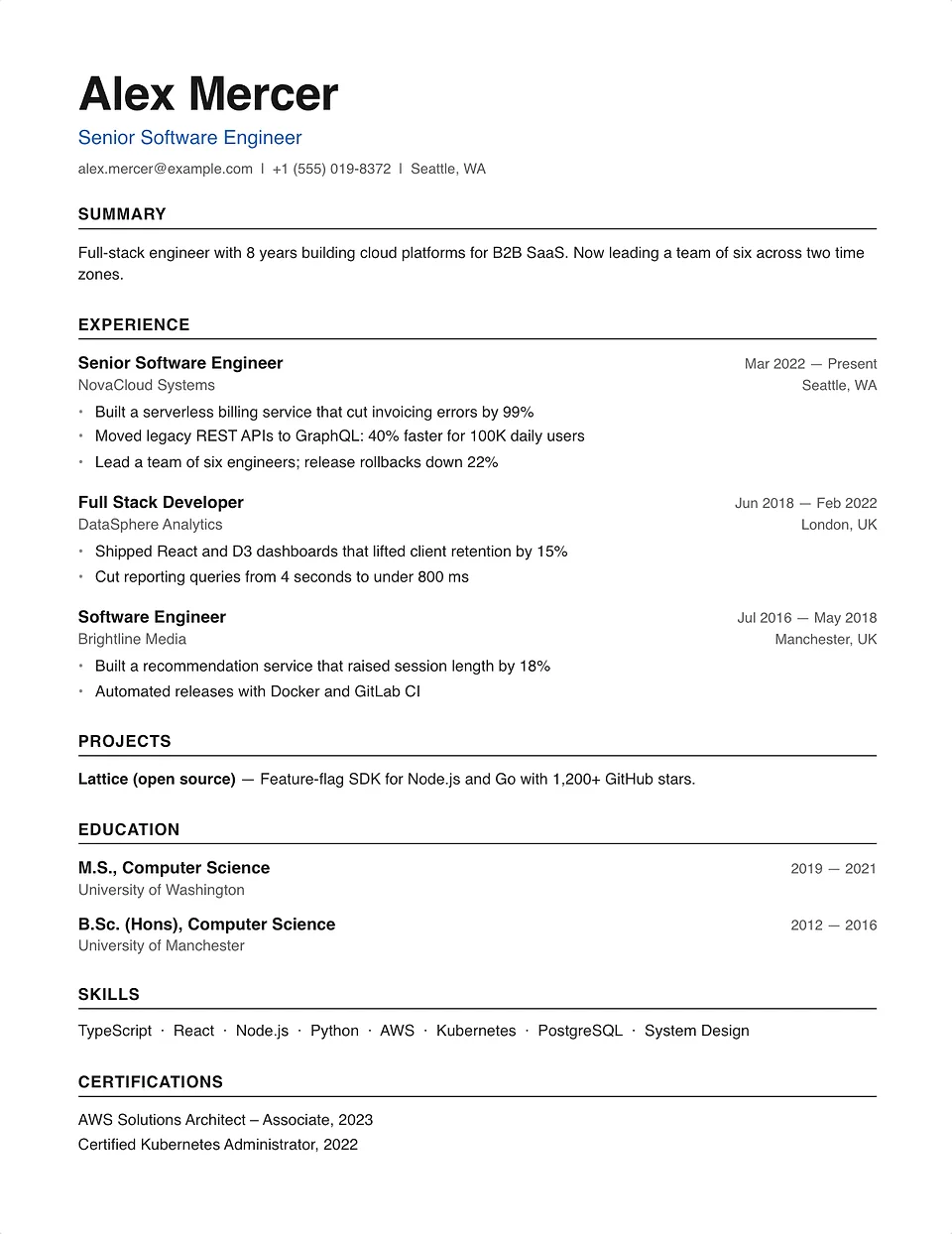
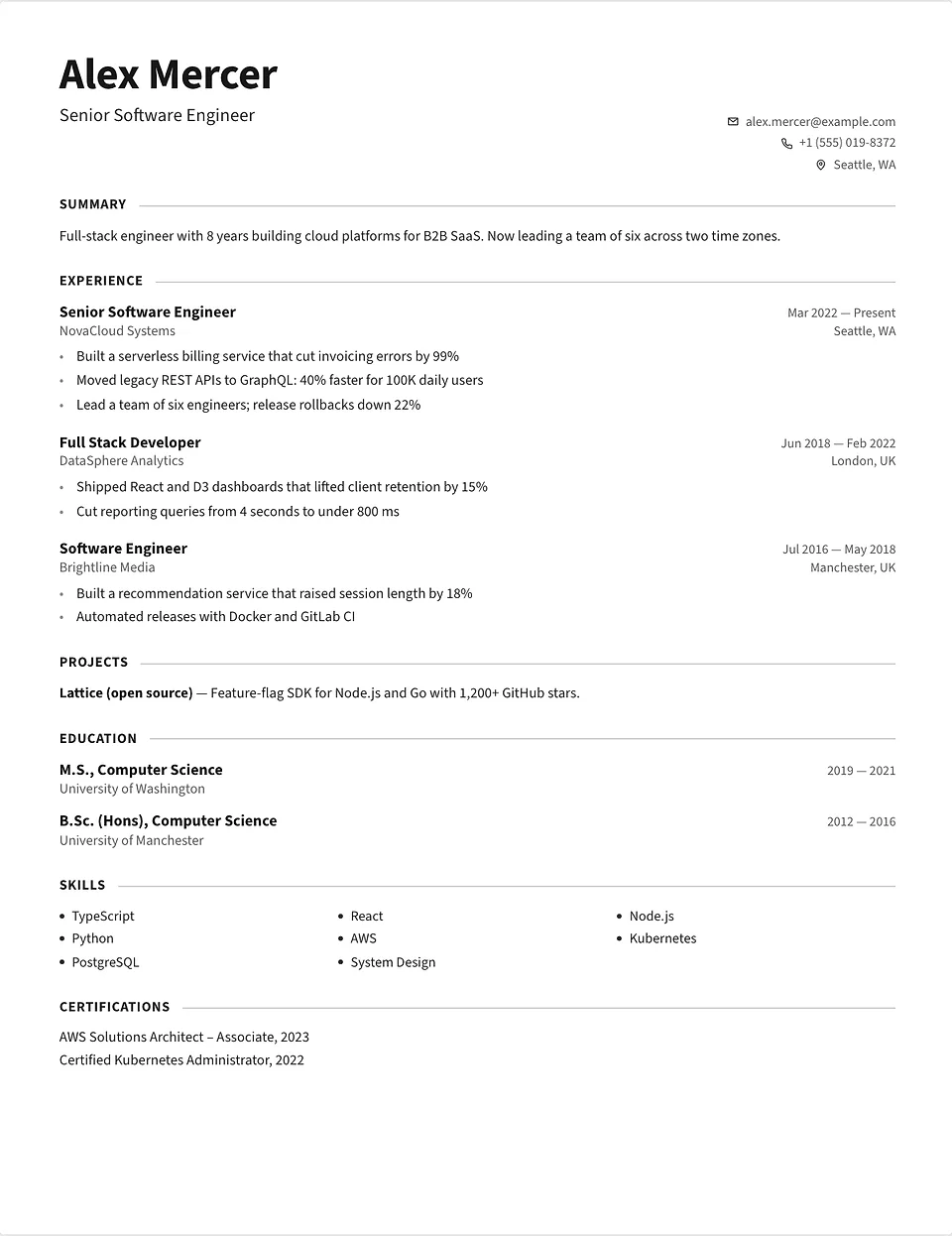
Cobalt
No photoA plain, clear page: your name, then bold headings over a thin rule.
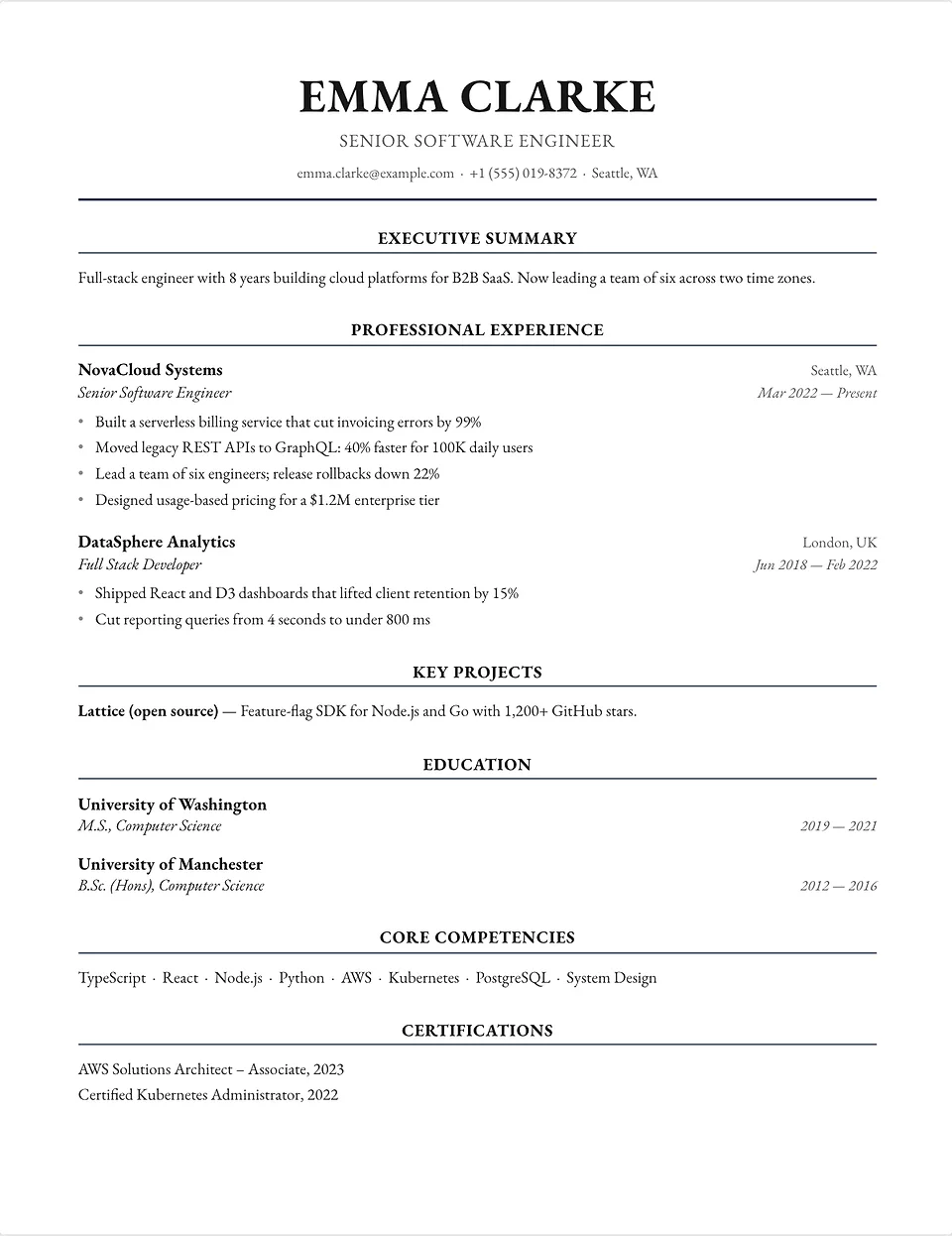
Heritage
No photoThe Harvard-style classic: centred serif, ruled headings.
Prescott
No photoTighter serif proportions and margins to fit a full career on one page.
Regent
No photoCapital serif name and centred headings for senior roles.
Vanguard
No photoA thin colour bar and a grey column of key facts.
Sterling
Optional photoA square photo beside your name and details, one column.
Keystone
No photoA dark header and your key skills in a grid under the summary.
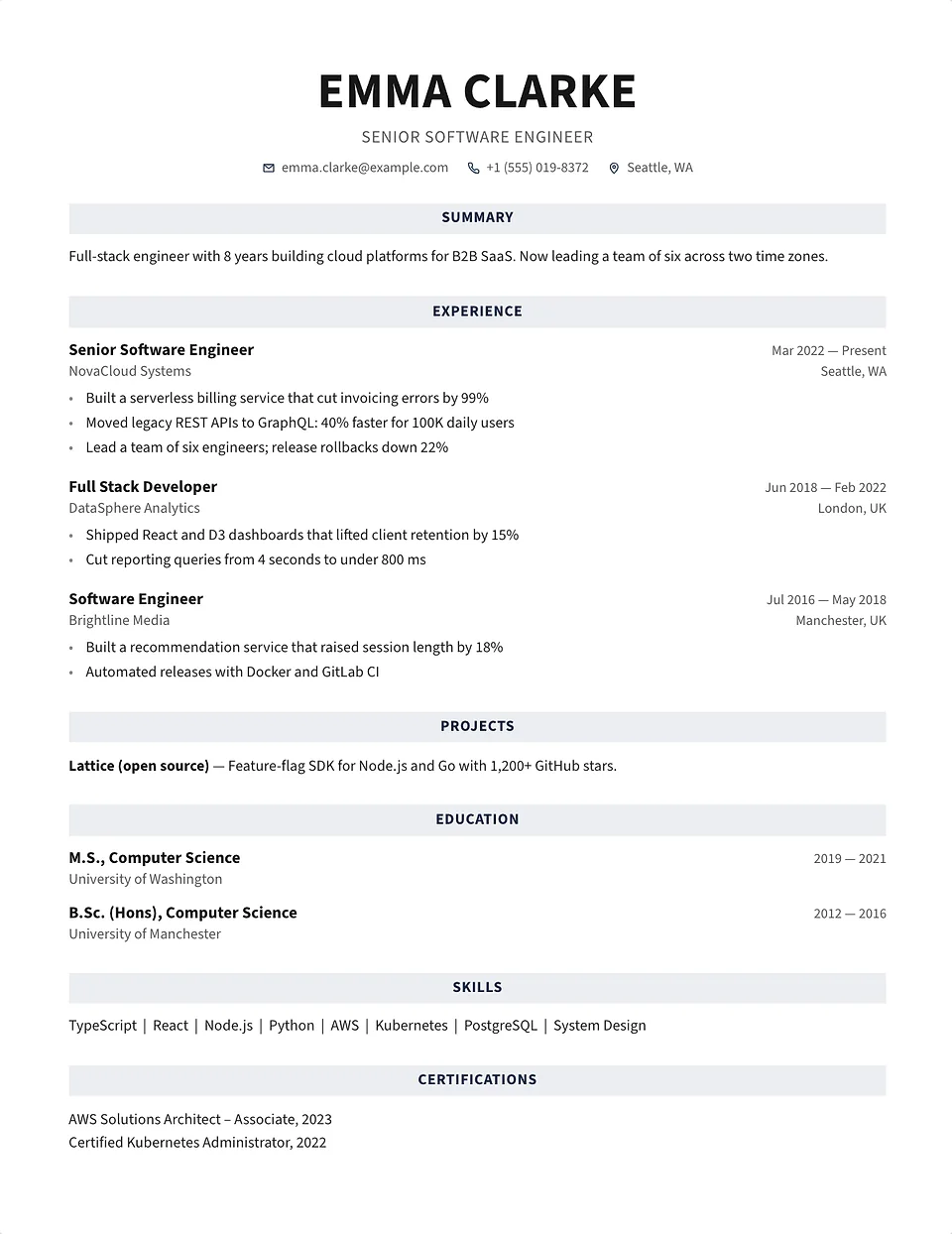
Granite
No photoA centred capital name and grey bars behind every heading.
Ledger
No photoHeadings in the margin, content beside them.
Signet
No photoYour initials in a fine ring beside a serif name.
Ashford
No photoLeft-set serif name with one-line contact details at the right and ruled headings.
Brevity
No photoTighter type and margins, for a long career on one page.






Professional templates: key facts
| Detail | Specification |
|---|---|
| Professional designs included | 12 structured corporate layouts (11 single-column + 1 understated two-column layout, Vanguard), curated from our 36 live templates. |
| Photo support | 11 text-only designs plus 1 optional-photo layout (Sterling, where the photo toggles off cleanly in one click). |
| Export formats | Selectable-text PDF and Microsoft Word (.docx) generated in your browser, plus plain-text copy. No native Google Docs export (upload .docx to Google Drive to edit in Docs). |
| ATS parser testing | 30 of 36 live templates tested in PDF only against commercial resume parsers (see methodology) — including 10 of these 12 professional designs. Prescott, Ashford, and .docx exports are scheduled for upcoming parser testing. |
| Print & recruiter readiness | Crisp dark ink contrast, restrained accent colors, and balanced US Letter margins that print cleanly in color or grayscale. |
| Pricing | Free to build, preview, score, and tailor to any job ad. Pay once only to download: Starter $14.99 (1 month), Pro $29.99 (3 months), Pro Annual $49.99 (1 year), or $1.99 for one resume. Never renews. |
What separates a professional layout from a noisy template
Corporate hiring committees read dozens of resumes between meetings. Layouts that feel genuinely professional share four quiet qualities: clear reverse-chronological dates on the right, unambiguous section headings, consistent bullet spacing, and restraint with color.
Choose a professional template when:
- You have 3 to 15 years of experience in finance, accounting, management, operations, consulting, healthcare administration, legal support, or enterprise technology.
- Your resume will be forwarded internally as a PDF attachment or uploaded into a corporate hiring portal — and possibly printed before an interview panel.
- You want polished visual authority without graphic gimmicks like skill percentage bars or decorative icons.
Explore a specialist category when:
- You are a student or recent graduate leading with education and campus projects (browse Fresher Templates).
- You are targeting VP, SVP, or C-suite leadership searches (browse Executive Templates).
Section order for mid-career professional resumes
| Section | Recommended Position | What Hiring Managers Scan For |
|---|---|---|
| Header & Contact | Top 10% of page 1 | Name, target role headline, phone, email, city, LinkedIn (and notice period when applying in India). |
| Professional Summary | Directly under header (2–3 lines) | Years in the field, primary domain or tools, and one verifiable business outcome. |
| Core Competencies / Skills | Optional crisp block above or below experience | Exact software, certifications, and methodologies named in the job advert. |
| Work Experience | Primary body (60–70% of space) | Reverse-chronological roles with 3–5 metric-backed bullets per recent position. |
| Education & Credentials | Lower quarter of page 1 (or end of page 2) | Degree, institution, year, and active professional licenses (CPA, PMP, CFA, Six Sigma). |
Frequently asked questions about professional resume templates
Should a professional resume be one page or two pages?
Keep your resume to one page if you have under 7–8 years of experience (Cobalt, Brevity, or Prescott fit tightly without crowding). Move to two full pages once you have 8–10+ years of progressive scope, multi-team leadership, or complex projects — avoid leaving just three or four orphan lines on page 2.
Serif or sans-serif: which font feels more professional?
Both work cleanly when spaced properly. Serif layouts (Heritage, Ashford, Prescott, Regent) signal classic tradition in banking, law, academia, and executive search. Sans-serif layouts (Cobalt, Vanguard, Keystone, Brevity) feel crisp and direct for corporate tech, product, operations, and consulting. You can test 6 embedded typefaces inside the editor in one click.
Are professional templates safe for staffing agencies that ask for Word files?
Yes. CVEmber exports both selectable-text PDF and editable Microsoft Word (.docx) from the same resume. Send PDF when applying directly so margins and line breaks never shift, and send .docx whenever an agency recruiter specifically asks to format or submit a Word copy.
Can I tailor one professional resume for multiple job postings?
Yes. CVEmber lets you duplicate or tailor your resume to any job advert for free at three restraint levels (Polish, Stronger, Ambitious) without inventing jobs or skills you do not hold — then download once you have the wording right.
Open a structured corporate layout and build free
Start in Cobalt (or click any of the 12 designs above), import your existing resume, and see how your real career history looks across every professional layout before paying a cent.
Free to build, preview, and tailor · Pay once only when you download PDF or Word
Explore next: All 36 Resume Templates · Simple Templates · Executive Templates · Word (.docx) Templates · Accounting Assistant Resume Examples · Project Manager Resume Examples